An Apple device offering augmented reality and virtual reality experiences – a mixed reality headset, if you prefer – has been rumored for years at this point. The latest leaks around the hardware suggest it'll be a premium-level piece of kit, and that it could launch in 2022.
That's as per the Power On newsletter written by Mark Gurman, who has historically been more right than wrong when it comes to his Apple predictions. There's not much new information here, but from the description given by Gurman it sounds like the headset will be more towards the premium end of the market.
"Apple is planning to unleash its own pricey device with advanced chips, displays, sensors and avatar-based features as early as next year," writes Gurman, putting the headset in the context of a similar device from Facebook that we've just heard about.
Facebook – now called Meta, by the way – is planning a successor to the Oculus Quest 2 that is going to be more expensive and more powerful. The device is official, even if details are thin on the ground, and a 2022 launch has been promised.
From what Gurman is saying, the Apple AR/VR/mixed reality headset will be along similar lines in terms of its functionality and price point. The technology required for these headsets is improving all the time, and next year could be a significant one in terms of new hardware hitting the market.
Facebook/Meta is also rumored to be working on a smartwatch, which is another field that Apple has a serious interest in. If the leaks are correct, it's going to have a front-facing camera, which should help it stand out against the competition.
Analysis: what exactly is Apple building again?
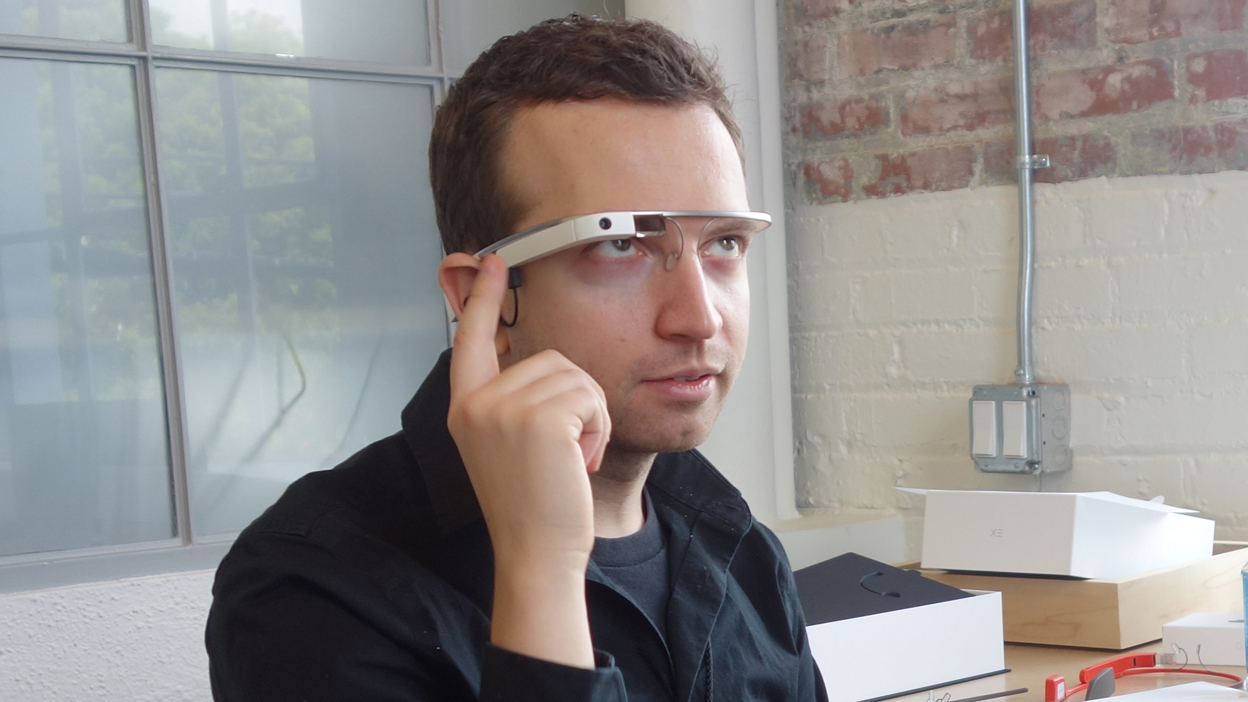
Google Glass.(Image credit: Future)
It's not been easy to keep track of Apple's potential AR/VR device. What we do know for sure is that Apple boss Tim Cook is very keen on augmented reality, and has been quick to make sure AR capabilities are built into devices like the iPhone and the iPad.
There's nothing to stop a headset combining both virtual reality (entirely enclosed digital worlds) and augmented reality (digital elements laid on top of the real world). The official term is mixed reality, although not everyone uses it to mean the same technology, which muddies the water somewhat.
From what we know so far, it sounds as though there's both a more powerful Apple VR headset, as well as a pair of Apple Glasses that will specialize in AR. It's possible, though rather unlikely, that the rumors around these devices are actually referring to the same piece of hardware with both AR and VR features.
The most likely scenario is that Apple gives us a device like the Oculus Quest 2 for VR and a device like Google Glass for AR. As yet, nothing is official, but we wouldn't be surprised if Apple launched a dedicated AR/VR gadget sometime in 2022.
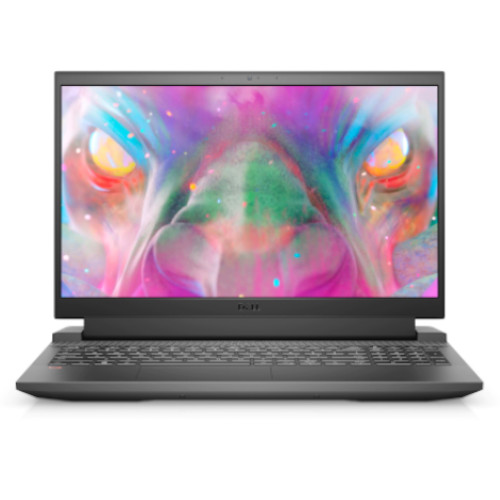
This Dell G15 with an RTX 3050 Ti for $832.99 (was $1,184) is easily one of the best early Black Friday gaming laptop deals we've spotted here at TechRadar.
Not only is the retailer offering up a hefty $350 discount well before the Black Friday 2021 sale, but this one's extremely well priced considering you're getting a powerful graphics card, Intel Core i5-10500H processor, 8GB of RAM, and 512GB SSD.
Put together, you're getting some very respectable mid-range performance indeed here as well as getting a fairly spacious drive for the money. This machine isn't super high-end, but it's got more than enough power to max out a lot of triple-A games at high settings. Plus, it also happens to be one of the cheapest ways to unlock those coveted Ray-Tracing and DLSS graphical settings in-game.
So, it's a great gaming laptop deal - but should you wait it out until Black Friday? Good question. We think there's bound to be a lot more choice in this year's upcoming Black Friday gaming laptop deals, but this latest discount from Dell definitely offers a prime opportunity to beat the crowds. If you're looking for peace of mind, you can do a lot worse than this Dell G15 with an RTX 3050 Ti.
Outside the US? See the best gaming laptop deals in your region just below.
Early Black Friday gaming laptop deals
Dell G15 15.6-inch gaming laptop:$1,184$879.99 at Dell
Save $305 - You'll get an RTX 3050 Ti graphics card, Intel Core i5-10500H processor, 8GB of RAM, and a 512GB SSD with this heavily reduced Dell G15 - fantastic specs for the money. If you're looking to beat out the crowds with an early Black Friday gaming laptop deal, you'll be hard-pressed to beat this one when it comes to sheer bang for the buck.
Dell- see all of this retailer's gaming laptop deals this weekend
Not what you're looking for? We've got plenty more options over at our main weekly best gaming laptop deals roundup. Over there you'll find some great cheaper alternatives and the best prices on more high-end RTX 3060 machines too.
from TechRadar - All the latest technology news https://ift.tt/3jRwhZQ
While the the Huawei Nova 9 was unveiled in September, back then it was only announced for China. Huawei has now gone ahead and announced the phone for the UAE, Saudi Arabia and the rest of the Middle East.
The Huawei Nova 9 has a lot of tempting tech inside such as a 6.57-inch 1080 x 2340 OLED screen with a 120Hz refresh rate, a mid-range Snapdragon 778G chipset, 8GB of RAM, and a choice of 128GB or 256GB of storage.
The phone also has a 4,300mAh battery with 66W fast charging, and there’s a quad-lens rear snapper, with a 50MP f/1.9 main sensor, an 8MP f/2.2 ultra-wide camera, a 2MP f/2.4 macro one and a 2MP f/2.4 depth sensor. Then on the front there’s a 32MP f/2.0 camera.
Those rear cameras are housed in a distinctive oval camera block with two big circles – a design that’s similar to what we’ve seen on the Huawei P50. The rest of the design here includes a glossy back in Starry Blue that Huawei is calling "Colour No. 9" or Black, and an all-screen front with a punch-hole camera.
There's no Google Apps present on the phone but Huawei has made some good progress with App Gallery, its alternative to Google Play Store.
Huawei Nova 9 UAE pricing and availability
The HUAWEI nova 9 will be available in the UAE at a price of AED 1,799 in the all-new Colour No. 9 and Black. Pre-orders begin on Huawei’s official website and across select retailers in the UAE on November 4th and include gifts valued at AED 980 including the HUAWEI FreeBuds 3.
You also get Petal One which includes a free 3-month VIP subscription to HUAWEI Music, a free 1-month VIP subscription to HUAWEI Video and a free 1-month Huawei Mobile Cloud 200GB storage. Last but not the least, a 1-year Starzplay Premium Subscription is also included.
The chief executive of Big Six energy supplier Scottish Power has issued a stark warning to UK households that the current energy crisis and rising energy bills could last until 2023.
Keith Anderson recently voiced his concerns on this while also calling on the government and the industry regulator Ofgem to review the current energy price cap. In addition, Mr Anderson also claimed that he expects that only five or six energy providers will survive this turbulent time.
Should this be the case, not only will we see further strain on homes across the nation who are already struggling with higher energy bills, but fewer suppliers will make the markets far less competitive, severely limiting the choice of deals and tariffs.
Calls for a “reflective and flexible” energy price cap
At the start of the month, the latest energy price cap was rolled out and it saw the cost of standard variable tariffs rise by £139 a year, going from £1,138 to £1,277. However, with the record wholesale gas prices we’re currently seeing, this is the cheapest deal consumers can get at the moment.
While this is posing significant financial challenges for many of us as bill payers, energy suppliers are also being hit hard by this – as at the moment it costs them an extra £1,000 per customer who uses this tariff, due to how much it currently costs them to purchase gas at wholesale prices. This has been a key factor in why so many suppliers have gone bust.
To make matters worse, it’s believed that as many as two million UK households will move onto the standard tariff in the coming weeks, with an estimated cost of an extra £4bn for suppliers to cover over the next 12 months.
Speaking on the matter, Keith Anderson cited this as the main reason why he believes there will be such drastic effects on the industry: “All of that financial stress will hit the companies left in the market. That’s why we think there’s a significant risk that the market returns to five or six companies. It will only be the biggest and the strongest which can survive this pressure.”
He went on to suggest that Ofgem’s price cap should be “changing more frequently” and that a more “reflective and flexible” approach would both make it easier for suppliers to manage rising and falling prices by being able to pass them on to customers much quicker.
A spokesperson for Ofgem responded to Mr Anderson’s comments, stating “the price cap will remain in place this winter to protect millions of people from the sudden increases in global gas prices” and that they “are also working with government to ensure that we have a sustainable energy market that works for all customers”.
What can consumers do about all of this?
Unfortunately, at the moment there's very little we can do to change the situation with our energy bills until wholesale prices start to return to normal levels.
The current advice is to avoid running an energy comparison and/or looking to switch provider, because as mentioned above, the best energy deals on the market right now is the price cap – all the best energy suppliers can do for you right now is offer better quality customer services and tech.
If you are struggling with your current energy bills as we head towards winter, you could look to schemes like the Warm Home Discount and the Winter Fuel Payment that can see you get money off your bills, subject to eligibility. You may also want to try and reduce your consumption and be more energy efficient, by using energy saving tips like these.
from TechRadar - All the latest technology news https://ift.tt/3jTSLJM
Rewind a year and the Saints swept the Bucs in the regular season, Tom Brady throwing a combined five interceptions, but of course Tampa Bay stepped it up when it mattered, winning their divisional playoffs showdown. It's time for the NFC South rivals to go toe-to-toe again, so read on as we explain how to get a Buccaneers vs Saints live stream and watch the NFL game online from anywhere.
Tampa Bay Buccaneers vs New Orleans Saints live stream
The Saints defense had a monster day at Seattle on MNF, restricting the Seahawks to just 219 yards and sacking Geno Smith time and time again. How they stack up against the Bucs' high-powered offense should be something to behold.
Brady threw his 600th (and 601st, and 602nd) touchdown in the Buccaneers' 38-3 blowout over the Bears last weekend, though he's unlikely to face such little resistance today.
Mike Evans has been Brady's go-to guy this season, leading the team with seven touchdowns, but the Saints are his kryptonite.
Halloween in New Orleans is always fun, and with Jameis Winston in charge of the tricks and treats, who knows what this one has in store? Follow our guide for how to watch the Buccaneers vs Saints online and get an NFL live stream wherever you are in the world right now.
Stream NFL without cable with Sling TV Get your first month for only $10 now. With the game being shown on Fox today, cord cutters can watch with a Sling TV subscription. Sign up to Sling Blue now and shave a mighty $25 off the usual monthly price, while also scoring access to NFL Network, NBC, NBCSN, CNN, and 20+ more channels.
How to watch Buccaneers vs Saints from outside your country
If you've mismatched a holiday or you're away on business and you want to watch your country's coverage from abroad, then you'll need to use a VPN. This will help you dial in to a location back in your home country to avoid geo-blocks and regain access to the content and services you already pay for back home.
A VPN is generally perfect for this as it allows you to change your IP address so you appear to be in a completely different location when the big game is on.
Use a VPN to live stream Buccaneers vs Saints from anywhere
ExpressVPN - get the world's best VPN We've put all the major VPNs through their paces and we rate ExpressVPN as our top pick, thanks to its speed, ease of use and strong security features. It's also compatible with just about any streaming device out there, including Amazon Fire TV Stick, Apple TV, Xbox and PlayStation, as well as Android and iOS.
Sign up for an annual plan now and get an extra 3 months absolutely FREE. And if you change your mind within the first 30 days, let them know and they'll give you your money back without a quibble.
Once you've chosen and installed your VPN of choice, simply open the service's corresponding app, hit 'choose location', select the appropriate country, and you'll be able to watch the broadcast as if you were back at home.
Buccaneers vs Saints live stream: how to watch NFL in the US
Today's Buccaneers vs Saints game kicks off at 4.25pm ET / 1.25pm PT, and is being nationally televised by Fox.
If you have the channel as part of your cable package, you can also live stream Buccaneers vs Saints directly through the Fox website.
How to watch Buccaneers vs Saints FREE without cable
If you haven't already got Fox as part of your cable package, you'll need an over-the-top streaming service that includes the channel, and great-value Sling TV is the obvious starting point for NFL fans.
Its Blue package offers local Fox and NBC/NBCSN channels in most major markets, as well as NFL Network, thereby covering a large number of NFL games including both primetime and local broadcasts, for just $35 a month. But right now you can get a whole month of Sling Blue for $10.
An extra $15 a month for the combined Sling Blue + Orange bundle adds access to ESPN 1, 2 and 3 to your NFL viewing arsenal - as well as getting you a handful of other top premium channels like TNT, AMC, TBS, BBC America and more.
The costlier (but even more thorough) alternative is to get a FuboTV plan. Its standard plan costs $64.99 per month and includes Fox, CBS, NBC, ESPN and the NFL Network - all the channels you need to tune into every nationally televised NFL game in the 2021/22 regular season.
How to watch Buccaneers vs Saints: live stream NFL FREE in Canada
Today's Buccaneers vs Saints game kicks off at 4.25pm ET / 1.25pm PT, and it's being televised by CTV, which also offers streaming access either on a standalone basis or at no extra cost for subscribers.
However, Canadian NFL fans are some of the the luckiest in the world, as streaming service DAZN is showing it along with every single game of the 2021/22 season, right the way through to the Super Bowl.
Plus, the FREE 30-day DAZN trial lets you try before you buy - essentially meaning you can live stream Buccaneers vs Saints free of charge.
Not only do you get every single NFL game, including NFL Game Pass and RedZone access, but DAZN's also the exclusive Canadian streaming home of Premier League and Champions League soccer!
It also comes with support for iOS, Android, Apple TV, Chromecast, Amazon Fire TV, Android TV, Roku, Xbox One, PS4, and laptop/PC streaming (including Mac devices).
Buccaneers vs Saints live stream: how to watch NFL online in the UK
The Buccaneers vs Saints game kicks off at 8.25pm BST on Sunday evening, and you can tune in via the NFL Game Pass, which is showing every game of the season live.
A subscription costs £14.99 a week or a much better-value £147.99 for the season, after a 7-day FREE trial.
Sky Sports shows at least five NFL games a week but the Buccaneers vs Saints game isn't one of this week's featured matchups.
And if you don't have Sky Sports as part of your TV package, Now TV will let you stream everything it has to offer without locking you into a lengthy contract.
Not in the UK but still want to catch the action? Use a VPN to live stream NFL as if you were at home. This also lets you get around any blackout restrictions that sometimes apply to games.
How to watch Buccaneers vs Saints FREE: live stream NFL in Australia
The Buccaneers vs Saints game kicks off at 7.25am AEDT on Monday morning.
ESPN, available through Foxtel, is showing the game, and you can also stream it on your laptop or mobile using the Foxtel Go app.
Streaming service Kayo Sports is showing the Buccaneers vs Saints game too, and is the ideal option for those who don't want the commitment of a lengthy (and pricey) contract.
Kayo lets you stream on two devices with it $25 per month Basic plan, and on three devices with its $35 Premium plan, and both come with a FREE 14-day trial.
It's also worth bearing in mind that 7Mate shows at least two games a week for FREE, but not this particular one.
And if those aren't enough to satisfy your NFL cravings, we highly recommend you sign up for the NFL Game Pass, as it's showing every game of the season live. A subscription costs $28.99 a week or $274.99 for the season, after a 7-day FREE trial.
Not in Australia right now? Use a VPN if you're away from home, in order to tap into your domestic coverage.
from TechRadar - All the latest technology news https://ift.tt/3jT05p2
The Apple AirPods 3 have finally arrived and the big question is, how do they compare with many of our favorite true wireless earbuds? We’re pitting them against the Samsung Galaxy Buds Pro to find out which ones you should buy.
The Apple AirPods 3 are the highly-anticipated follow-up to the 2019 Apple AirPods - not to be confused with the Apple AirPods Pro, which also launched in 2019. The Pro buds are more high spec with support for active noise cancellation – something the AirPods 3 don't have.
However, the Apple AirPods 3 are more affordable, and draw inspiration from the mass-appeal design of the original AirPods. During our testing, we were impressed with the immersive spatial audio on offer, comfortable fit, and ease of use, awarding them 4 out of 5 stars. Saying that, with no noise cancellation, no customizable eartips and a so-so battery life, they’re not thebest true wireless earbuds you can buy – especially if you have an Android device.
The Samsung Galaxy Buds Pro are among our top-rated true wireless earbud picks – bagging 4 out of 5 stars when we tested them. We liked the basic noise cancellation, audio performance and waterproofing, but they’re not perfect and much more likely to appeal to those with Samsung phones.
So which model is better, the AirPods 3 or the Samsung Galaxy Buds Pro? Does one pair of wireless earbuds outperform the other or is this a case of choosing your next buds based on your smartphone? Read on to find out.
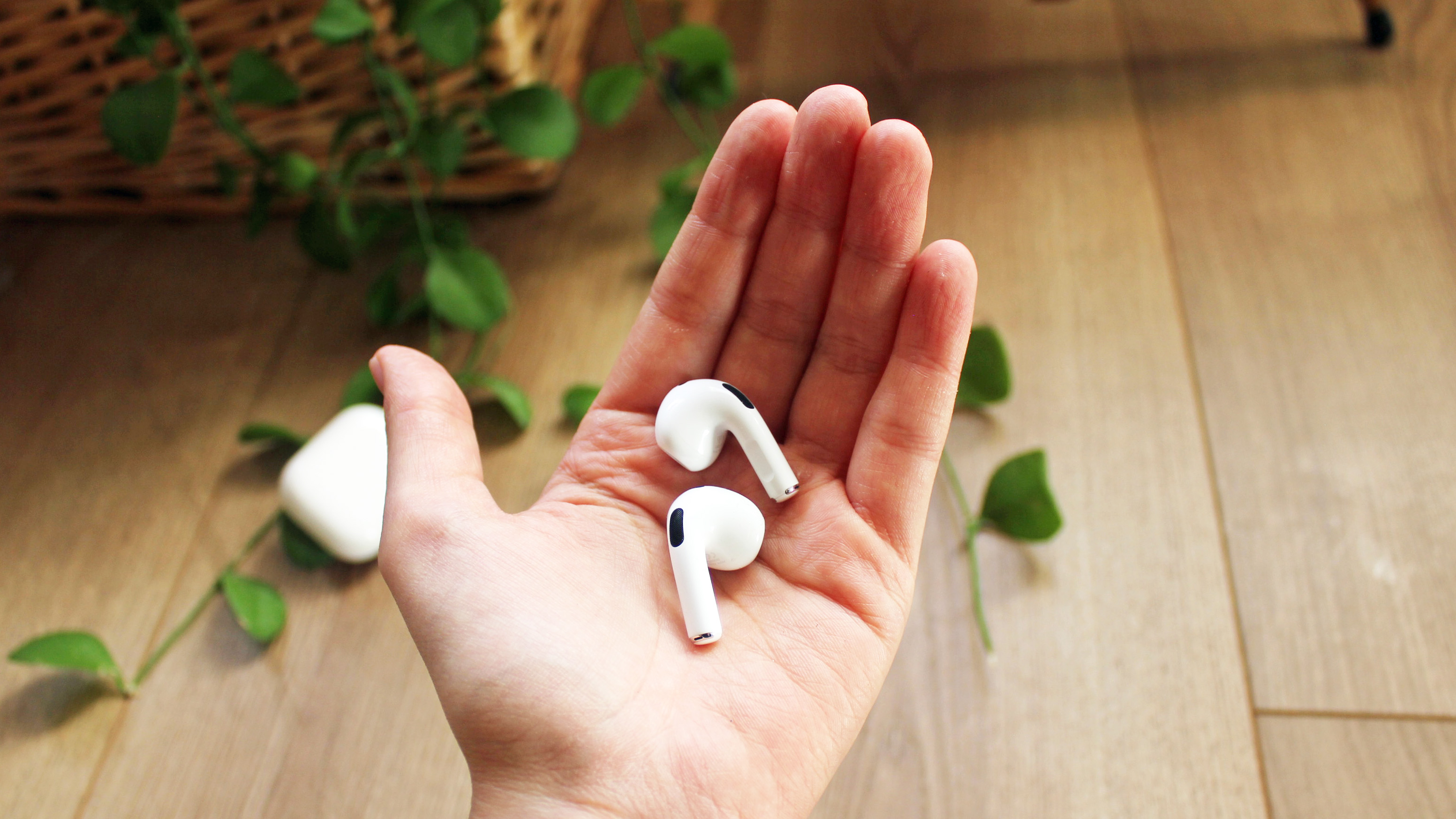
The Apple AirPods 3.(Image credit: TechRadar)
AirPods 3 vs Samsung Galaxy Buds Pro: price
The Apple AirPods 3 cost $179 / £169 / AU$279. That price is cheaper than the AirPods Pro, which will set you back $249 / £249 / AU$399, although that’s to be expected given the Pro are the high-end option.
The AirPods 3 are more similar in price to the 2019 AirPods, which cost $159 / £159 / AU$249 with the standard charging case, and $199 / £199 / AU$319 with the wireless charging case when they launched a couple of years ago (though they’ve since been given a permanent price cut).
Although this price isn’t cheap, it matches up with many of the middle-grade to high-end true wireless earbuds you can buy today. And it’s good to see Apple has kept prices for the regular AirPods on a level that’s more affordable than the Pro.
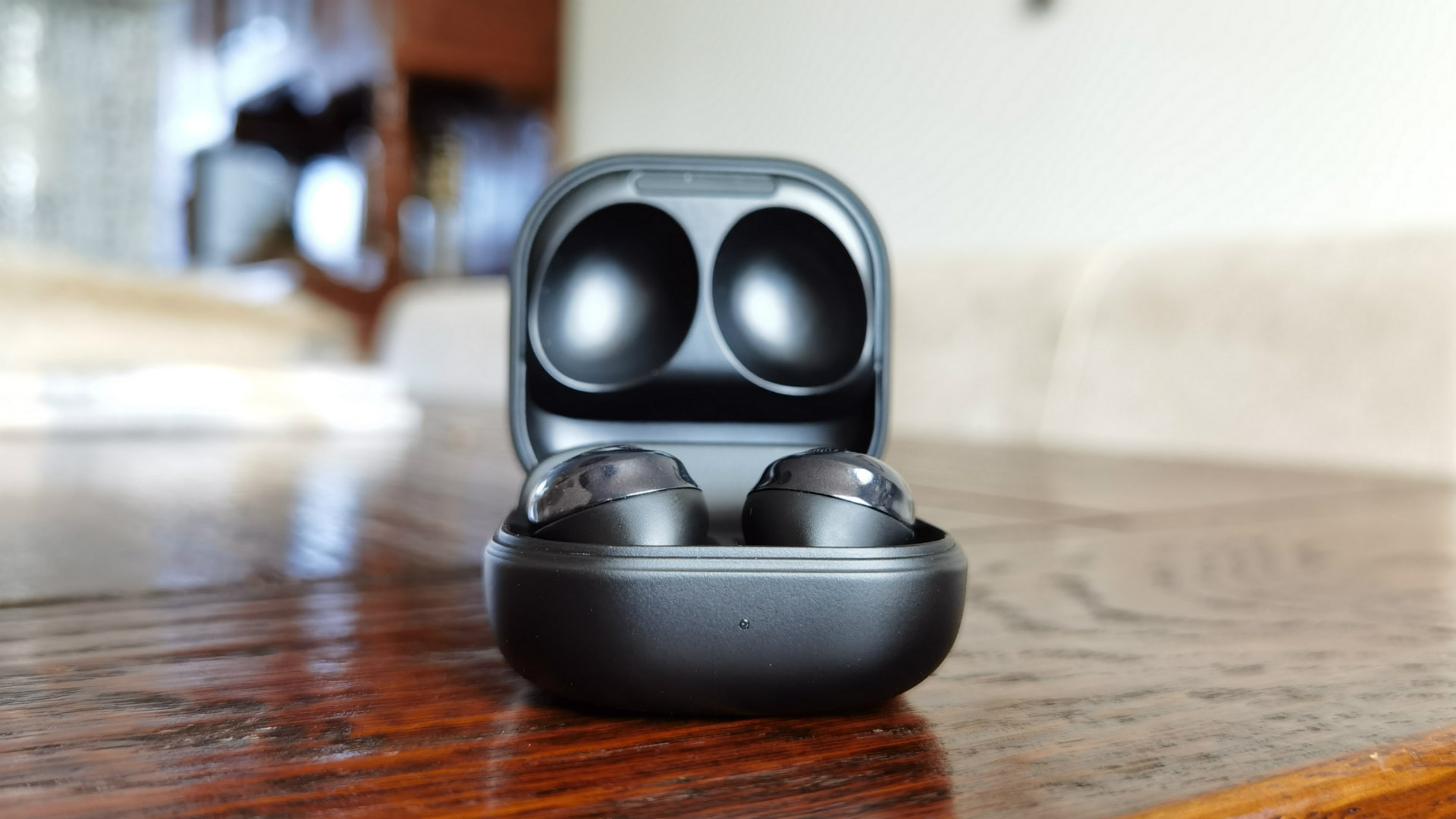
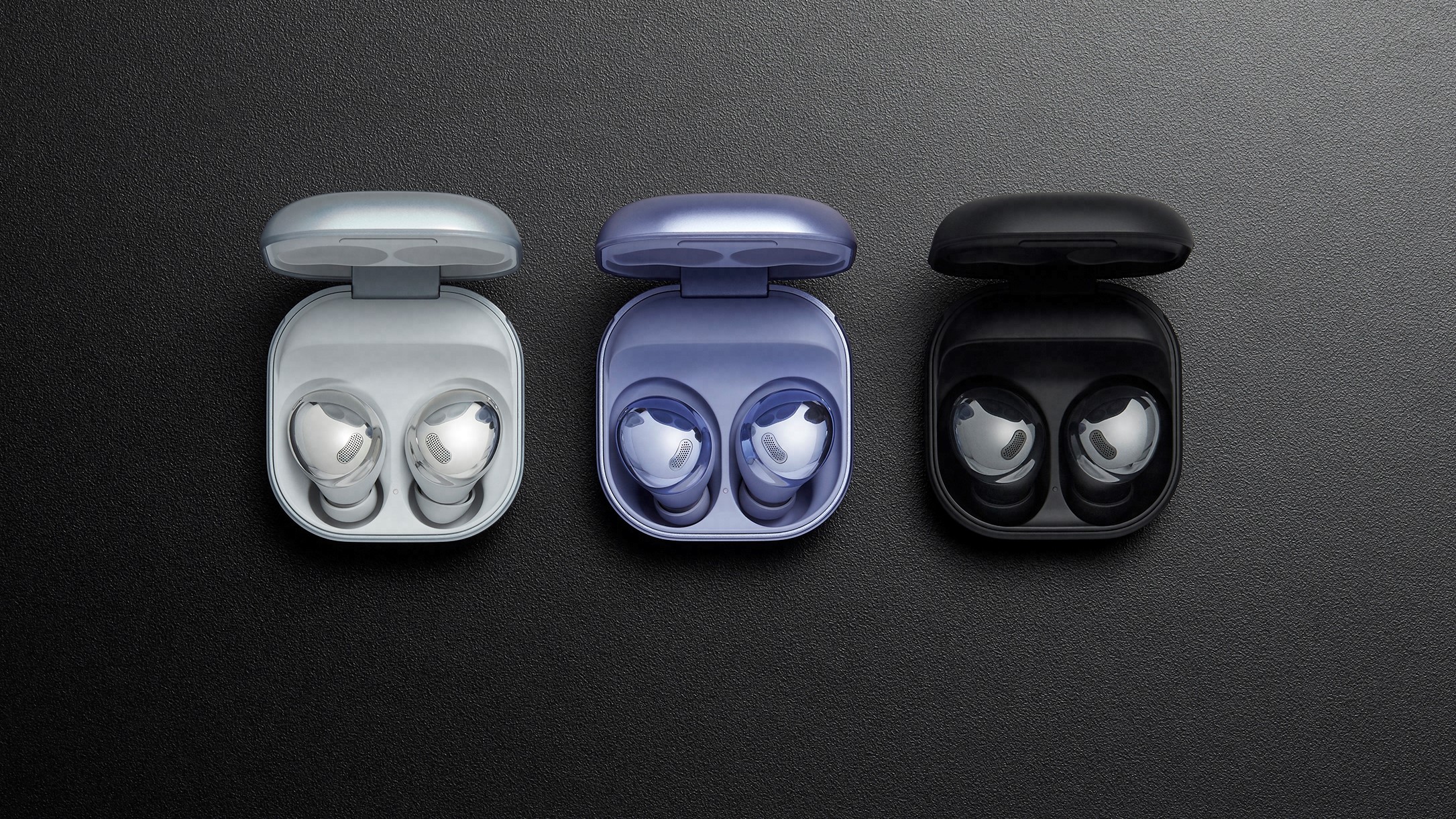
The Samsung Galaxy Buds Pro.(Image credit: Future)
In comparison, the Samsung Galaxy Buds Pro cost $199 / £219 / AU$349. Although not quite as expensive as the higher-end options from the likes of Sony, Bose and Sennheiser, these are still a pricey pair of earbuds. If you’re looking for cheaper alternatives, you don’t have to look far: the Sony WF-SP800N and Jabra Elite 75t both offer active noise cancellation for $50 less if you don’t mind skipping out on the Samsung-specific features.
Although the Apple AirPods 3 are cheaper, the question of which is better value will depend on what you’re looking for, as these two pairs of buds have different things to offer in terms of design, performance and additional features.
Whether you prefer the design of the AirPods 3 vs Samsung Galaxy Buds Pro will depend on your personal preference. Do you want the obviously Apple design of the AirPods with their stems or the shiny chrome Galaxy Buds Pro that sit closer to your ear?
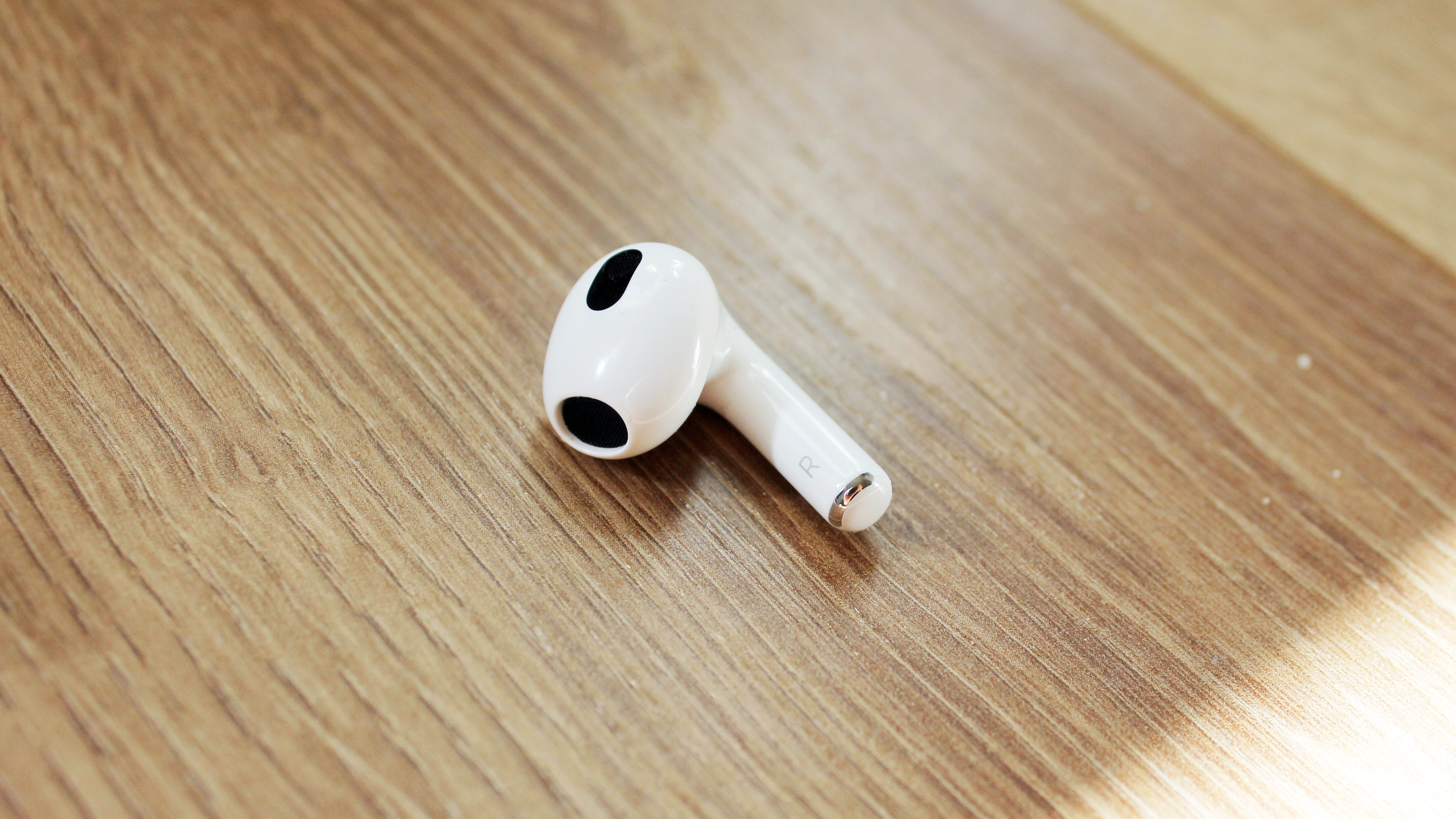
The Apple AirPods 3 look like the 2019 AirPods, but there are some subtle differences. For starters, the stems of the AirPods 3 are shorter, the housing is rounded and more streamlined, and they feature force sensors you squeeze to control your music and phone calls. They also now have an IPX4 water resistance rating, which makes them suitable to wear to the gym or when you’re working out.
They lack interchangeable eartips, which means the fit isn’t super snug. Although we did find them comfortable to wear, we wouldn’t recommend them for intense exercise.
(Image credit: TechRadar)
The Samsung Galaxy Buds Pro look completely different to the AirPods 3, with a rounded design available in three colors: Phantom Black, Phantom Silver and Phantom Violet, all have a high shine finish.
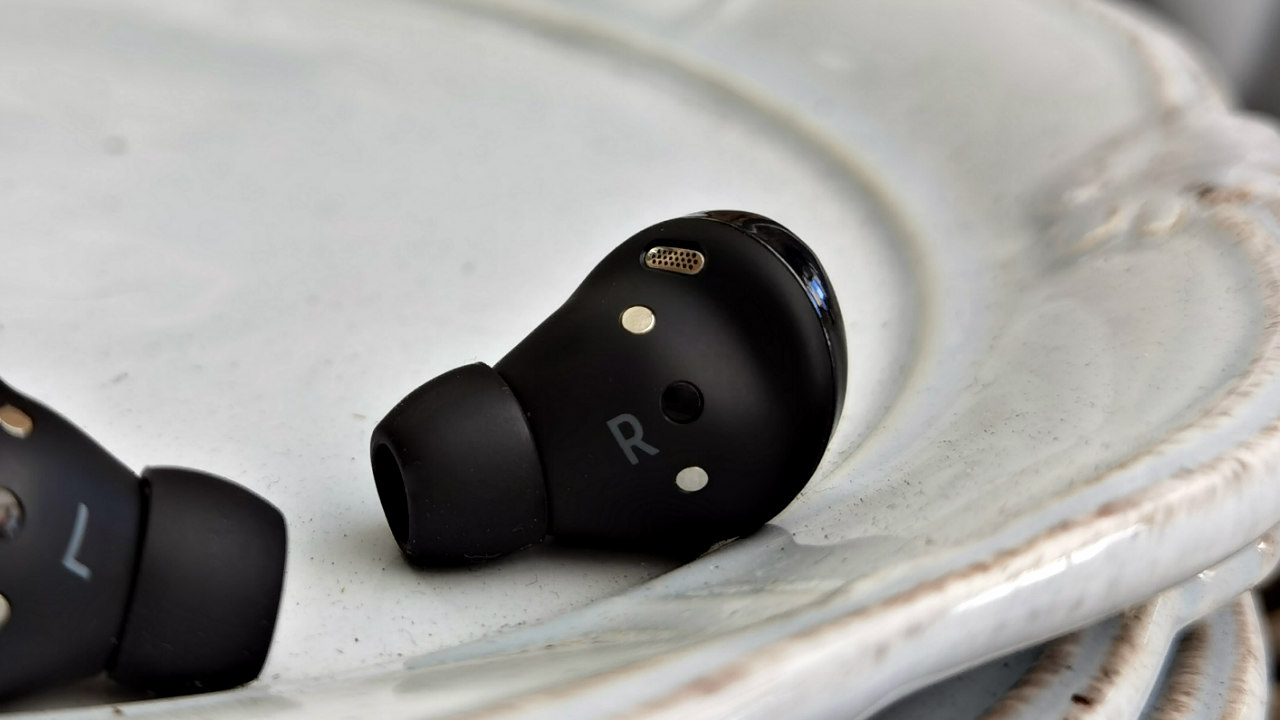
They’re fairly large for earbuds, measuring in at just under an inch (20.8mm) long. Although they don’t obviously stick out of your ear like the AirPods 3, they can look a little awkward and bulky.
The Galaxy Buds also jut out of your ear and during testing we had some trouble keeping them fully secure – luckily they do come with extra eartips, so it’s worth trying out all the options to see which give you the comfiest fit
However, they’re comfortable to wear for extended periods of time and don’t suffer from pressure build up thanks to an external vent.
(Image credit: Samsung)
AirPods 3 vs Samsung Galaxy Buds Pro: battery life
The Apple AirPods 3 offer a maximum battery life of 30 hours with the charging case, which supports wireless charging and is MagSafe-compatible. If you're in a hurry, a quick five-minute charge will give you about an hour of playback.
The onboard battery life is around six hours, which drops to five hours if you have Spatial Audio enabled.
As the Samsung Galaxy Buds Pro have noise cancellation on-board, the battery life will depend on if you’re using it or not.
Samsung promises five hours of listening on one cycle, after which the charging case can provide an additional 13 hours if you have ANC turned on. If you turn it off the buds will last seven to eight hours, and you can get upwards of 20 hours of battery from the case.
They also support fast charging and within five minutes on the charger there should be enough battery available for one hour of playback. Fast charging takes place via the USB-C port, but wireless charging is also possible, although it’s a bit slower.
In terms of battery life, the AirPods 3 are the overall winners, though there’s not much in it and the Galaxy Buds Pro have a longer onboard battery life.
(Image credit: TechRadar)
AirPods 3 vs Samsung Galaxy Buds Pro: audio performance and features
The Apple AirPods 3 don’t offer noise cancellation, but we were impressed with the sound quality on offer here – a significant improvement over the second-gen AirPods. They come with new custom-made, low-distortion drivers and high dynamic range amplifiers.
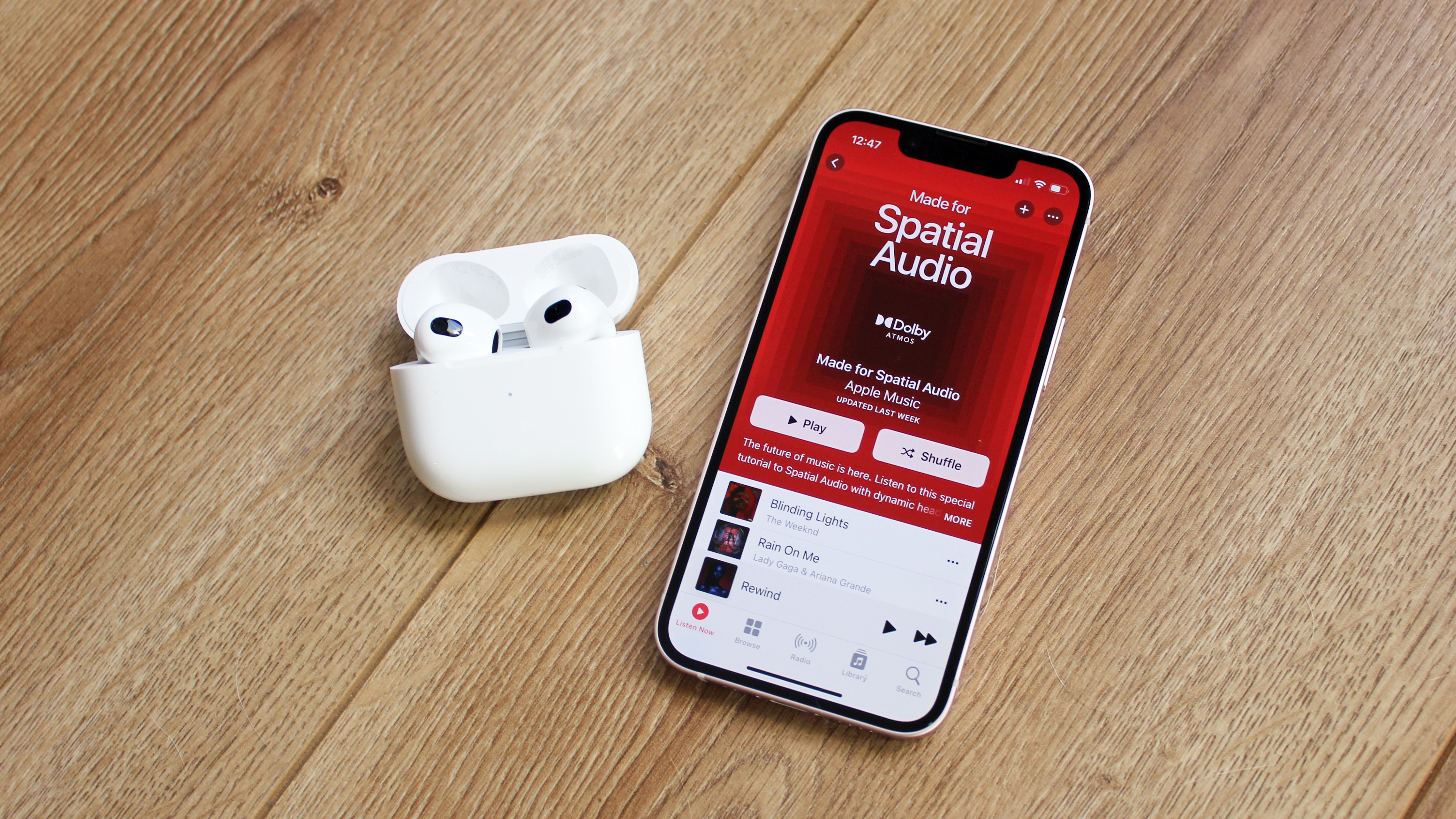
They also offer Spatial Audio Support, placing sound in a 3D sphere around you to create a more immersive experience. They only support the SBC and AAC codecs, so you won’t be able to enjoy hi-res audio with the AirPods 3, but they’re not designed to be audiophile-grade headphones. Instead, they provide a perfectly enjoyable listening experience – particularly for music and films in Spatial Audio.
They also offer a bunch of additional features, like Audio Sharing, Announce Notifications, and integration with the Find My network, which all make the AirPods 3 a good option for use with an iPhone – but less appealing for anyone with an Android.
(Image credit: Future)
Most people will be happy with the sound offered by the Samsung Galaxy Buds Pro, but it isn’t class-leading. During our testing we found it to be lacking in detail and the soundstage was too narrow for our tastes. In other words, they won’t quite wow you like some higher-end earbuds would.
You can tweak the EQ of your Buds in the Samsung Wearable app – and we liked the Dynamic setting, but there isn’t the option to make the soundstage wider or fuller.
If you’re not listening to music with a Samsung Galaxy device, the sound of the Buds Pro will be transmitted over SBC or AAC, and both of these are lossy codecs. This means there’s a marked uptick in audio quality when you use them with Samsung’s Scalable Codec devices – like say the Samsung Galaxy Note 20 Ultra 5G – compared to a device that uses SBC, like the Google Pixel 3.
Although the Samsung Galaxy Buds Pro do offer noise cancellation, it isn’t the best. They offer solid noise reduction but it’s never going to be absolutely silent while you've got them on.
(Image credit: TechRadar)
Takeaway
This is a close race and, as we predicted, largely depends on the phone you have.
If you have a Samsung phone you’ll get more from the Samsung Galaxy Buds Pro, with better audio quality, Bixby support and more. The design is also slightly more subtle and the audio is good, but not great.
On the other hand, the Apple AirPods 3 are better for those with an iPhone. Connecting to an iPhone is easy and there are a bunch of features that will appeal to those with Apple products already, including hands-free Hey Siri activation, Announce Notifications, Audio Sharing, Group Facetime with Spatial Audio and more.
You’ll also get the unmistakable Apple design with slighter shorter stems and rounded casing. The sound quality might not be able to compete with the best headphones on the market, but thanks to the new tech baked in and Spatial Audio Support, the AirPods 3 are a solid choice for most people.
One reason you may opt for the Galaxy Buds Pro over the AirPods 3 is the Samsung earbuds’ support for active noise cancellation. However, there are better noise-cancelling earbuds out there, such as the the Bose QuietComfort Earbuds, as well as lots of excellent noise-cancelling over-ear headphones.
It's Halloween, and you’re in the mood for a legitimate reason to get properly spooked? Well, our list of the scariest PC games to put that fright in your night is here.
For some of you, Halloween is every day. It’s a full-time commitment. To that, we say, well done! But this list is mainly for those who lack a continuous taste for the macabre.
First up is Outlast, definitely one of the more terrifying titles on our list. Many have attempted to complete it but couldn't take the heat.
Set in an asylum called Mount Massive, you play Miles Upshur, an investigative journalist hunting for information for his article following a tip from a source.
Your only hope for survival is to hide, run, and hide well. That's not such a bad strategy considering some of the monstrosities and horrors that await you in Outlast. Think you‘ve got what it takes? Be our guest.
Outlast and Outlast 2 are available to purchase on Steam.
(Image credit: Aspyr)
2. Layers of Fear
Developed by Bloober Team and published by Aspyr, Layers of Fear is a first-person psychological horror game filled with scary sounds, jump scares, and twisted mind games to make you question your sanity.
You play as a schizophrenic painter on a mission to create his great masterpiece, but you have to make it through the psychedelic twists and turns of a Victorian mansion.
While it’s not laced with gruesome ghoulies like other titles on this list, it does induce an atmosphere of fear that will keep you on edge from start to finish.
LoF is available on Steam, and there’s a VR version too if you’re brave.
(Image credit: CAPCOM Co., Ltd.)
3. Resident Evil 7: Biohazard
This classic Capcom title serves true survival-horror, which some of its previous titles lacked. It provides the atmosphere, tension and the kill it with fire-worthy opponents you want from a horror game.
Inspired by the Texas Chainsaw Massacre and more recent survival horror games like Outlast, RE7, is set in an abandoned farmhouse in rural America. You play as Ethan Winters, a civilian looking for his missing wife.
Set in first-person view (a new approach for RE games) RE7, creates an immersive experience, unlike any other RE game.
RE7: Biohazard is available to purchase on Steam and all the other titles in the franchise, including the less scary (but still spooky) sequel, Resident Evil 8.
(Image credit: Electronic Arts)
4. Dead Space
Issac Clarke is your name, and engineering is your game, but you have to save your last remaining crew members on the USG Ishimura instead. Well, your other crew members are technically alive, just infected with alien gunk.
While it may cause you to whimper for your mother and require regular breaks to recoup, Dead Space is an elite title and should be respected as such.
So good luck, and remember headshots are not your friend dismembering is.
You can get this now classic, third-person thriller on Steam, where you can also pick up the other entries, and all the DLC’s, from the series.
(Image credit: Team Junkfish)
5. Monstrum
In this procedurally generated, roguelike survival-horror game, you have to find tools to help you survive and outrun the scary creatures that are after you.
Developed and published by Team Junkfish, the indie studio gave the horror genre a welcome refresh.
There are AI-driven monsters and permadeath, so survival means survival. You’re going right back to the start otherwise, but likely in another location and with different monsters. You’ll be screaming for someone to save you in no time, but no one’s coming, so survive!
Monstrum is available to purchase on Steam. Oh, and if you're feeling especially brave, you can play it in VR!
(Image credit: SEGA)
6. Alien: Isolation
Arguably the scariest game on our list, Alien: Isolation, is a 2014 horror-survival game developed by Feral Interactive and published by SEGA for the PC. This game understood the assignment and truly put the “phere” in atmosphere (ahem).
If you’re a fan of the Alien movies, you’ll be familiar with the legendary Ellen Ripley. In this masterful title that expertly captures the feel of the 1979 classic, you play as Ripley’s daughter Amanda, who goes on a search for Ripley as she has been missing for 15 years.
Be ready for the dread and terror this award-winning and stunning masterpiece has in store for you.
Still in Steam Early Access, this four-player online co-op psychological-horror game developed and published by Kinetic Games is a fright. And no, having three other friends to play along with doesn’t make it any less scary.
Hunt down ghosts in this immersive experience. Support your team by keeping a close watch on the CCTV cameras from your van, or get into the thick of things and collect paranormal data and evidence to sell to a ghost removal team.
What’s even better about Phasmophobia? It’s cross-platform and available on VR. So, grab yourself and your crew a copy on Steam.
(Image credit: BANDAI NAMCO)
8. Little Nightmares
Little Nightmares is an atmospheric, adventure horror game developed by Tarsier Studios and published by Bandai Namco Entertainment. Although it's not necessarily the scariest game on our list, it feels very disconcerting.
You have to navigate a terrifying place called the Maw filled with hungry monstrosities and twisted beings trying to devour a tiny innocent child named Six.
As Six, you have to avoid the many dangers of the Maw while constantly dodging new dangers.
One of the most distinct things about Little Nightmares, especially for a horror game, is its stunning art style.
Little Nightmares is available to purchase on Steam.
(Image credit: Hitchcock Games)
9. Pacify
Whatever you do choose to play to keep you in Halloween spirit, be sure to bolt your doors and close your curtains as you never know who or what might be lurking outside.
Released in 2019 by Hitchcock Games and developed by Shawn Hitchcock, Pacify is a multiplayer, co-op survival- horror game that's genuinely twisted and scary.
Pacify is split into three missions with unique stories, gameplay, monsters, and environments. You have to capture paranormal entities to assist an organisation named PAH Inc. with dealing with them.
In Pacify, there is a co-op and single-player mode, and interestingly, it also has a PVP mode.
So, if you want a good fright, then you must try Pacify, plus it’s available on Steam for only £3.99.
Seven weeks into the season, and it's probably just about safe to call the Titans contenders. The team that somehow lost to the Jets(!) have now beaten the Bills and Chiefs on the spin, and now have an AFC South grudge game in Indianapolis. Read on as we explain how to get a Titans vs Colts live stream and watch the NFL online from anywhere.
Tennessee Titans vs Indianapolis Colts live stream
When Derrick Henry's tossing touchdown passes against KC, you know things are going pretty well.
The Titans won 25-16 when they met a month ago, Henry eating up 113 yards and Ryan Tannehill throwing for three touchdowns, though he also chucked in a pair of interceptions.
The Colts have gathered momentum since that defeat, winning three of their past four. Whisper it, but Carson Wentz is looking kind of okay, isn't he?
The former Philly man threw for a couple of touchdowns as the Colts overcame the 49ers in torrential conditions last weekend, and in Jonathan Taylor they have the second most destructive RB in the league, behind you-know-who.
This could be a cracker, so follow our guide on how to watch the Titans vs Colts online and get an NFL live stream wherever you are in the world right now.
How to watch Titans vs Colts from outside your country
If you've mismatched a holiday or you're away on business and you want to watch your country's coverage from abroad, then you'll need to use a VPN. This will help you dial in to a location back in your home country to avoid geo-blocks and regain access to the content and services you already pay for back home.
A VPN is generally perfect for this as it allows you to change your IP address so you appear to be in a completely different location when the big game is on.
Use a VPN to live stream Titans vs Colts from anywhere
ExpressVPN - get the world's best VPN We've put all the major VPNs through their paces and we rate ExpressVPN as our top pick, thanks to its speed, ease of use and strong security features. It's also compatible with just about any streaming device out there, including Amazon Fire TV Stick, Apple TV, Xbox and PlayStation, as well as Android and iOS.
Sign up for an annual plan now and get an extra 3 months absolutely FREE. And if you change your mind within the first 30 days, let them know and they'll give you your money back without a quibble.
Once you've chosen and installed your VPN of choice, simply open the service's corresponding app, hit 'choose location', select the appropriate country, and you'll be able to watch the broadcast as if you were back at home.
Titans vs Colts live stream: how to watch NFL in the US
Today's Titans vs Colts game is being shown on CBS, with kick-off scheduled for 1pm ET / 10am PT.
If you haven't already got CBS as part of your cable package, you should know that it's also available on a streaming-only basis on Paramount Plus from just $4.99 a month after a 7-day FREE trial.
How to watch Titans vs Colts without cable
In general though, we recommend fuboTV as the best way to watch NFL games without cable this season.
The standard fuboTV plan costs $64.99 per month and includes Fox, CBS, NBC, ESPN and the NFL Network - all the channels you need to tune into every nationally televised NFL game in the 2021/22 regular season.
How to watch Titans vs Colts: live stream NFL FREE in Canada
Today's Titans vs Colts game kicks off at 1pm ET / 10am PT, and while it's not being televised, Canadian NFL fans are some of the the luckiest in the world, as streaming service DAZN is showing it along with every single game of the 2021/22 season, right the way through to the Super Bowl.
Plus, the FREE 30-day DAZN trial lets you try before you buy - essentially meaning you can live stream Titans vs Colts free of charge.
Not only do you get every single NFL game, including NFL Game Pass and RedZone access, but DAZN's also the exclusive Canadian streaming home of Premier League and Champions League soccer!
It also comes with support for iOS, Android, Apple TV, Chromecast, Amazon Fire TV, Android TV, Roku, Xbox One, PS4, and laptop/PC streaming (including Mac devices).
Titans vs Colts live stream: how to watch NFL online in the UK
The Titans vs Colts game is being aired in the UK on Sky Sports, with kick-off set for 5pm GMT on Sunday evening.
The network shows at least five games a week on its dedicated Sky Sports NFL channel, and offers access to the live RedZone highlights show each Sunday.
If you don't have Sky Sports as part of your TV package, Now TV will let you stream everything it has to offer without locking you into a lengthy contract.
A great option for die-hard fans is the NFL Game Pass, which is showing every game of the season live. A subscription costs £14.99 a week or a much better-value £147.99 for the season, after a 7-day FREE trial.
Not in the UK but still want to catch the action? Use a VPN to live stream NFL as if you were at home. This also lets you get around any blackout restrictions that sometimes apply to games.
How to watch Titans vs Colts FREE: live stream NFL in Australia
The Titans vs Colts game kicks off at 4am AEDT on Monday morning.
If you wake up early enough, you can tune in via the NFL Game Pass, which is showing every game of the season live. A subscription costs $28.99 a week or $274.99 for the season, after a 7-day FREE trial.
It's worth bearing in mind that 7Mate shows at least two games a week for FREE, but not this particular one. ESPN, available through Foxtel, and streaming service Kayo Sports also show plenty of NFL action Down Under.
Not in Australia right now? Use a VPN if you're away from home, in order to tap into your domestic coverage.
from TechRadar - All the latest technology news https://ift.tt/3w1dq3q
With Baker Mayfield essentially reduced to one arm and Ben Roethlisberger possibly even worse, this Halloween edition of the Turnpike War could be a genuine horror show. Read on as we explain how to get a Steelers vs Browns live stream and watch the NFL online from anywhere.
Pittsburgh Steelers vs Cleveland Browns live stream
It's amazing to think that not only was this one of last season's Wild Card playoffs, but it also produced 85 points!
Case Keenum filled in for Mayfield in the Browns' win over the Broncos, but D’Ernest Johnson did most of the damage, the man who was working on a fishing boat not too long ago racking up 146 yards and his first ever touchdown.
Nick Chubb's likely return will be a huge boost, Cleveland's star RB looking set to feature after a calf injury.
The Steelers have had a bye to prepare, but that's somewhat negated by the Browns having a long week. While Pittsburgh's offense has looked a little better in recent weeks, that's not saying much, and this one could be decided by the D.
Follow our guide on how to watch the Steelers vs Browns online and get an NFL live stream wherever you are in the world right now.
How to watch Steelers vs Browns from outside your country
If you've mismatched a holiday or you're away on business and you want to watch your country's coverage from abroad, then you'll need to use a VPN. This will help you dial in to a location back in your home country to avoid geo-blocks and regain access to the content and services you already pay for back home.
A VPN is perfect for this as it allows you to change your IP address so you appear to be in a completely different location when the big game is on.
Use a VPN to live stream Steelers vs Browns from anywhere
ExpressVPN - get the world's best VPN We've put all the major VPNs through their paces and we rate ExpressVPN as our top pick, thanks to its speed, ease of use and strong security features. It's also compatible with just about any streaming device out there, including Amazon Fire TV Stick, Apple TV, Xbox and PlayStation, as well as Android and iOS.
Sign up for an annual plan now and get an extra 3 months absolutely FREE. And if you change your mind within the first 30 days, let them know and they'll give you your money back without a quibble.
Once you've chosen and installed your VPN of choice, simply open the service's corresponding app, hit 'choose location', select the appropriate country, and you'll be able to watch the broadcast as if you were back at home.
Steelers vs Browns live stream: how to watch NFL in the US
Today's Steelers vs Browns game is being shown on CBS, with kick-off scheduled for 1pm ET / 10am PT.
If you haven't already got CBS as part of your cable package, you should know that it's also available on a streaming-only basis on Paramount Plus from just $4.99 a month after a 7-day FREE trial.
How to watch Steelers vs Browns without cable
In general though, we recommend fuboTV as the best way to watch NFL games without cable this season.
The standard fuboTV plan costs $64.99 per month and includes Fox, CBS, NBC, ESPN and the NFL Network - all the channels you need to tune into every nationally televised NFL game in the 2021/22 regular season.
How to watch Steelers vs Browns: live stream NFL FREE in Canada
Today's Steelers vs Browns game kicks off at 1pm ET / 10am PT, and it's being televised by CTV, which also offers streaming access either on a standalone basis or at no extra cost for subscribers.
However, Canadian NFL fans are some of the the luckiest in the world, as streaming service DAZN is showing it along with every single game of the 2021/22 season, right the way through to the Super Bowl.
Plus, the FREE 30-day DAZN trial lets you try before you buy - essentially meaning you can live stream Steelers vs Browns free of charge.
Not only do you get every single NFL game, including NFL Game Pass and RedZone access, but DAZN's also the exclusive Canadian streaming home of Premier League and Champions League soccer!
It also comes with support for iOS, Android, Apple TV, Chromecast, Amazon Fire TV, Android TV, Roku, Xbox One, PS4, and laptop/PC streaming (including Mac devices).
Steelers vs Browns live stream: how to watch NFL online in the UK
The Steelers vs Browns game kicks off at 5pm GMT on Sunday evening, and you can tune in via the NFL Game Pass, which is showing every game of the season live.
A subscription costs £14.99 a week or a much better-value £147.99 for the season, after a 7-day FREE trial.
Sky Sports shows at least five NFL games a week but the Steelers vs Browns game isn't one of this week's featured matchups.
And if you don't have Sky Sports as part of your TV package, Now TV will let you stream everything it has to offer without locking you into a lengthy contract.
Not in the UK but still want to catch the action? Use a VPN to live stream NFL as if you were at home. This also lets you get around any blackout restrictions that sometimes apply to games.
How to watch Steelers vs Browns FREE: live stream NFL in Australia
The Steelers vs Browns game kicks off at 4am AEDT on Monday morning.
If you wake up early enough, ESPN, available through Foxtel, is showing the game, and you can also stream it on your laptop or mobile using the Foxtel Go app.
Streaming service Kayo Sports is showing the Steelers vs Browns game too, and is the ideal option for those who don't want the commitment of a lengthy (and pricey) contract.
Kayo lets you stream on two devices with it $25 per month Basic plan, and on three devices with its $35 Premium plan, and both come with a FREE 14-day trial.
It's also worth bearing in mind that 7Mate shows up to three games a week for FREE, but not this particular one.
And if those aren't enough to satisfy your NFL cravings, we highly recommend you sign up for the NFL Game Pass, as it's showing every game of the season live. A subscription costs $28.99 a week or $274.99 for the season, after a 7-day FREE trial.
Not in Australia right now? Use a VPN if you're away from home, in order to tap into your domestic coverage.
from TechRadar - All the latest technology news https://ift.tt/3BtlJpL
How much sleep is enough? You might have heard the old adage about eight hours of shut-eye being the optimal amount, but in reality your needs will vary throughout your lifetime. When it comes to snoozing, your age, health and even your work can each have an impact on how many hours of sleep you should aim for each night.
To help break this down, we’ve analysed research and sought expert advice from Dr Lindsay Browning, a chartered psychologist, neuroscientist, author and sleep expert. Read on for the definitive guide to how much sleep you need, and how to help yourself get those restorative hours in bed.
How much sleep do you need by age?
The National Sleep Foundation’s guidelines are broken down by age, but these numbers are recommendations only; while your age is a good indicator of how much sleep you need, you need to take your personal circumstances into consideration too.
How much sleep do you need: guidelines by age
Age range
Recommended hours of sleep
Newborns (0-3 months)
14-17 hours
Infants (4-11 months)
12-15 hours
Toddlers (1-2 years)
11-14 hours
Preschoolers (3-5 years)
10-13 hours
School-age children (6-13 years)
9-11 hours
Teenagers (14-17 years)
8-10 hours
Adults (18-64 years)
7-9 hours
Adults (aged 65+)
7-8 hours
How much sleep do adults need?
The National Sleep Foundation recommends that adults between the ages of 18 and 64 get seven to nine hours of sleep per night. This number decreases slightly for adults older than 65, with a recommended sleep time of seven to eight hours per night.
However, age is not the only deciding factor here – people who are sick or have physically demanding jobs might need more than the recommended hours.
(Image credit: Getty)
“When we’re asleep we produce antibodies, so If you’re ill you’re going to need more sleep,” explains Dr Browning. “Throw the recommendations out of the window if you’re not well and sleep as much as you need.”
Equally, those who spend their days being physically active, through work or other exercise, are also likely to need more kip. “The more physically active we are, the more we need to repair our bodies,” says Dr Browning. “The sleep you get will be deeper, and feel more restorative.”
How much sleep do teenagers need?
It’s no secret that teenagers can sleep like logs, but they’re not lazy – they’re simply doing what their bodies are instinctively telling them to do. The National Sleep Foundation recommends that teenagers aged 14-17 need around eight to 10 hours of sleep per night.
Research has shown that teenagers need more sleep than adults to help support their learning, memory, attention and cognition processing during these formative years. Their brains and bodies are maturing and developing rapidly, and sleep helps them boost their health, regulate their emotions and stay on top of their school work.
In addition, Dr Browning adds that teens might find their sleep affected by excessive intakes of caffeine and alcohol, which their bodies might not be used to processing.
Why do our sleep needs change with age?
We generally need less sleep as we get older because our bodies stop growing and our brains don’t process as much new information as they did when we were younger.
“When you sleep you produce a growth hormone and your body can physically grow,” explains Dr Browning. “So newborn babies will need tons more sleep than adults. As we get older we stop growing, so we don’t need as much sleep.
(Image credit: Getty)
“Equally, when we’re learning new things, we need more sleep to process those learnings. For a baby, just moving its hand can be a new sensation, while children are learning language, maths, identifying things such as trees... Then when we get older, we generally know everything we need to already.”
Dr Browning adds that our sleep also becomes lighter as we age, meaning that we become easier to wake up. While it’s normal to wake up through the night, we’re more likely to remember these awakenings as we age, as they are likely to become longer and more frequent.
“You think your sleep is suddenly of a really poor quality, but generally speaking, that’s simply not true; you’re just more aware of these breaks in your sleep,” she reveals.
How to get the sleep you need
First things first, Dr Browning suggests implementing some wind-down time before bed – just like you had as a child. “As adults, we’ll be doing complex work projects in the evening, watching exciting TV programmes, having an argument with our spouse and then expecting that we’ll just go to sleep instantly. Of course that doesn’t happen; it’s unreasonable,” says Dr Browning.
Light is also an important factor. The blue light emitted from screens tells your brain that it’s daytime, so limiting your use of devices near bedtime helps keep your body’s circadian rhythm in check.
(Image credit: Getty)
Equally, make sure you’re exposed to adequate daylight. “As biological creatures, we’re designed to see sunshine during the day, so we should go outside at lunch to tell our brains it’s the middle of the day. Then, when evening comes, our brain can say, ‘OK, now we need to sleep’.” You might also enjoy using a wake up light on darker mornings.
Also consider your bedroom environment. “You shouldn’t use your bedroom for anything other than sleep and sex,” advises Dr Browning. “That way, your brain will associate your bedroom with rest – but we have to balance that with real life.” Dr Browning recommends making sure your bedroom isn’t reminding you of things you haven’t finished, or your brain will be too distracted to sleep.
Finally, ensure you have the best mattress for your body and some comfy bedding. “Mattresses generally have a life span of seven to eight years,” says Dr Browning. “After that, they’re probably not as supportive as they need to be and less comfortable, so your sleep won’t be as good. Try to wash your sheets weekly – just think of how lovely it is to get into freshly laundered linen.”
Who devised these sleep guidelines?
The National Sleep Foundation published its official sleep guidelines in March 2015. They were devised by a multidisciplinary expert panel of 18 members, who represented 12 stakeholder organisations and six sleep experts. The panel analysed the findings of 312 scientific articles relating to sleep duration recommendations.
This article is part ofTechRadar's Sleep Week 2021(Sunday 31 October to Sunday 7 November) our in-depth look at sleep and how to snooze better. We've teamed up with experts in their field to bring you sleep techniques and tips to help you drift off easier, and have rounded-up the best sleep kit andBlack Friday mattress dealsto transform your bedroom into a den of zen.
from TechRadar - All the latest technology news https://ift.tt/2ZPk15c